
A WordPress chatbot for small business can answer common questions, guide visitors, qualify inquiries and hand a conversation to the right person. Yet a basic chat widget, a scripted chatbot and an agent connected to business data carry very different costs and risks.
The right project does not start with a plugin shortlist. It starts with a simpler question: which useful conversation do you want to automate without weakening visitor trust? This guide will help you define the need, understand the full cost and deploy a measurable first version.
Key takeaway
The right chatbot level depends on the conversation you actually want to automate, and a person should always be able to take over.
- For a simple FAQ: a free tool or entry-level plan may be enough.
- For lead qualification: choose a tool that collects information properly, alerts the team and transfers the context.
- For actions in business systems: use a controlled architecture, limited permissions, logs and human approval for sensitive actions.
- For the total cost: budget for software, integration, content, supervision, maintenance and usage volume.
What is a WordPress chatbot?
A WordPress chatbot is a conversational interface added to a WordPress website. It may appear as a bubble at the bottom of a page, an assistant embedded in a form or a more complete chat area. Depending on the solution, its answers can come from predefined flows, a knowledge base, an artificial intelligence model or a combination of these elements.
The official WordPress plugin directory includes plugins that can add a chatbot, connect several AI providers or use an approved knowledge base. The listings for AI Engine and Jotform AI Chatbot show the breadth of available features. A directory listing, however, is not a substitute for a security review or testing on your own website.
Scripted chatbot, AI chatbot and AI agent: three different levels
- A scripted chatbot follows a decision tree. It is predictable, relatively inexpensive and suitable for straightforward questions.
- An AI chatbot creates answers from instructions and approved content. It understands more variations in language, but its output still needs supervision.
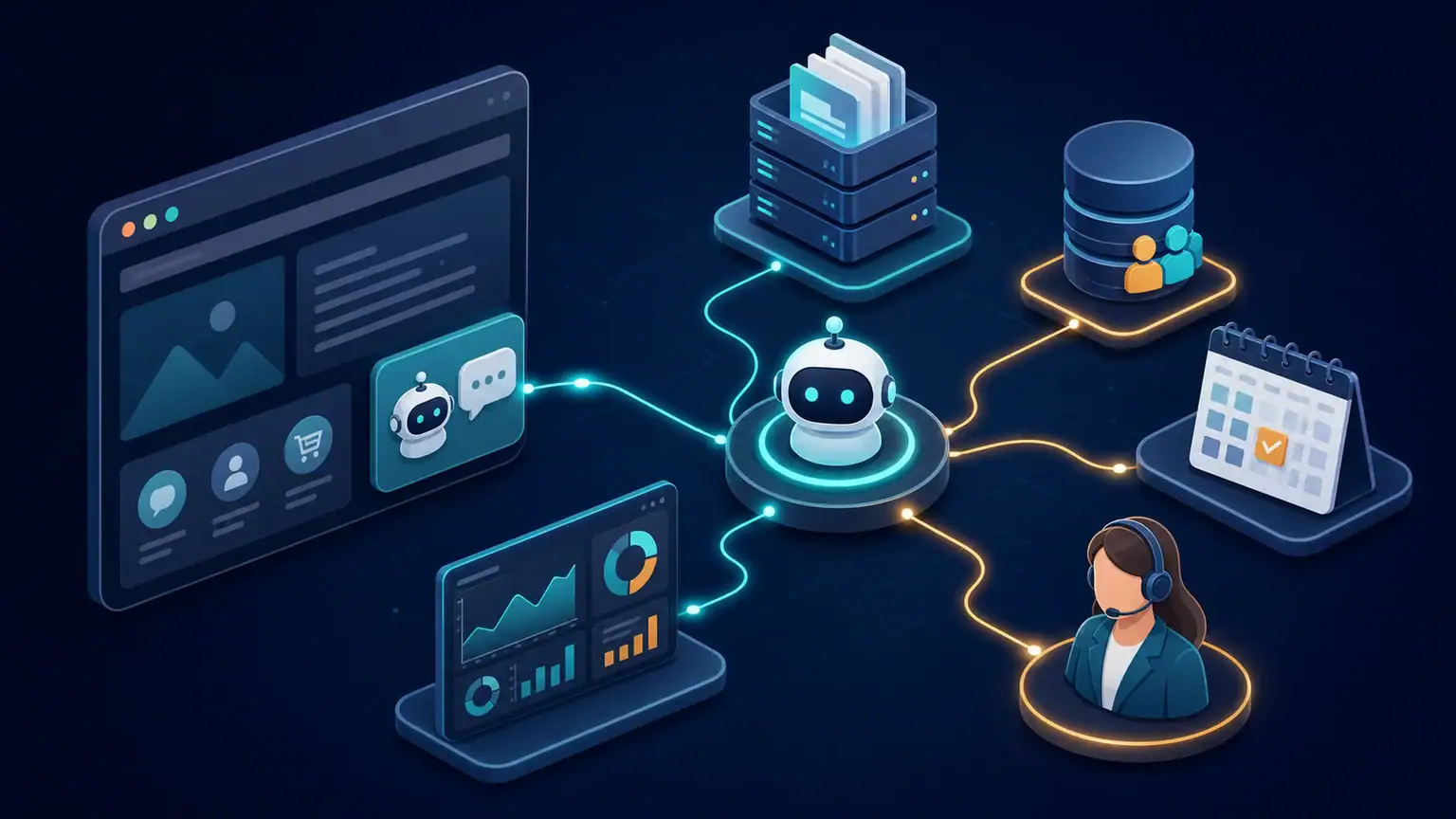
- A connected AI agent can read from or trigger other systems, such as a CRM, calendar, knowledge base, support platform or automation workflow. It can create more value, but its permissions must be much more tightly controlled.
If your requirement goes beyond a FAQ, AUTOM7’s AI automation services provide context on voice and text chatbots, business-system connections and supervised automation.
How much does a WordPress chatbot for small business cost?
There is no single price. Two companies may display nearly identical chat bubbles while one uses a free widget and the other relies on a knowledge base, a CRM, a calendar and ongoing human supervision.
The figures below are planning benchmarks, not quotes. Vendor prices were checked on their official pages on August 11, 2026. They may change and are generally shown in US dollars before any applicable taxes.
| Level | Typical use | Software or license benchmark | Work to plan for |
|---|---|---|---|
| Live chat or simple FAQ | Answer questions, guide visitors and collect a message | Free plans are available; Crisp also lists Mini at US$45/month per workspace | Installation, conversation flows, operating hours and waiting messages |
| AI chatbot for support or qualification | Answer from a knowledge base and qualify inquiries | Crisp lists Essentials at US$95/month per workspace and Plus at US$295/month per workspace | Content preparation, escalation rules, testing and answer monitoring |
| More advanced conversational agent | Multiple agents, channels, automations and controlled usage volumes | Botpress lists Free, Plus at US$150/month billed annually and Team at US$750/month billed annually | Architecture, system connections, permissions, technical monitoring and maintenance |
| Custom business project | CRM, calendar, quoting, support, internal data or controlled actions | Vendors do not always publish standard prices for this level | Scoping, integration, security, acceptance testing, documentation and continuous improvement |
Pricing sources: Crisp and Botpress. These are third-party software prices, not AUTOM7 pricing. Any AUTOM7 scoping or integration engagement is quoted separately according to the requirement. Compare plans against your real usage: providers may charge by workspace, conversation, AI credit, storage or overage.
The hidden costs businesses often miss
The subscription is only one line in the budget. Include the time required to prepare answers, review source pages, configure forms, train the team and analyze conversations. A poorly maintained chatbot can reply quickly and still be wrong.
Also plan for:
- AI model consumption where applicable;
- connectors to your CRM, calendar or messaging platform;
- maintenance after a website or vendor update;
- moderation, usage limits and spam prevention;
- review of sensitive conversations and unresolved questions; and
- updates to documentation and the privacy notice.
How to choose the right solution
Start by classifying the use case. A company that simply wants to reduce repetitive calls does not need the same architecture as one that wants to qualify a lead, check a service area and offer an appointment.
1. Give the first version one clear job
A useful first mission fits in one sentence: “answer the ten most common questions and transfer complete sales inquiries” or “help visitors choose a service before offering an appointment.” Avoid a vague instruction to “answer everything.”
2. Choose the approved sources
List the pages, FAQs, documents and data the chatbot is allowed to use. Assign an owner to keep each source current. When information changes frequently—such as price, delivery time, availability or contractual terms—the chatbot should either consult a current source or direct the visitor to a person.
3. Design the human handoff
Visitors need a way out of the automated loop. Define the transfer conditions: a complex request, a complaint, personal information, repeated misunderstanding or an explicit request to speak to someone. Pass the useful context to the team so the visitor does not have to repeat the entire conversation.
4. Check the connections before choosing the plugin
An attractive interface does not guarantee a reliable integration. Check compatibility with your forms, CRM, calendar, support platform and consent system. Ask how the tool handles errors, duplicates, timeouts and changes to those connections.
5. Review security and portability
Give the chatbot only the permissions it needs. Read-only access is often sufficient at the start. Any action that creates, sends, changes or deletes something should be separated, logged and submitted for approval when the risk justifies it.
Also ask how to export the content, retrieve the conversations you are entitled to retain and move to another solution. A fast setup can become expensive when business rules are locked inside a tool that is difficult to replace.
A seven-step deployment method
- Observe real inquiries. Review forms, emails, calls and internal searches to identify repeated questions.
- Choose one journey. Limit the pilot to a single mission and a defined group of pages.
- Prepare the answers. Write concise, precise content with a date and an identified source.
- Set the boundaries. Block unapproved promises, sensitive decisions and actions outside the defined scope.
- Test difficult cases. Try misspellings, ambiguous requests, irrelevant questions, personal data and requests for a person.
- Launch gradually. Start on a few pages, monitor conversations and correct points of friction.
- Measure before expanding. Add another journey only after the first one has demonstrated value.
This sequence prevents a free or experimental system from being connected to critical tools too soon. It also gives your team evidence for deciding whether to keep a standard plugin or invest in deeper integration.
Privacy, cookies and transparency
A chatbot often processes personal data even when the website has no account-registration form. A conversation may contain a name, contact details, a business requirement or sensitive information that a visitor shares without being asked.
The French data protection authority (CNIL) publishes guidance for chatbot operators (in French): address cookies, limit retention to what is necessary and pay particular attention to sensitive data. It also notes that a fully automated conversation should not, by itself, produce a significant decision about a person unless the required GDPR safeguards are in place.
As a minimum, plan for:
- a clear statement that the visitor is interacting with an artificial system;
- visible access to the privacy notice;
- a prompt asking visitors not to enter unnecessary sensitive data;
- a defined retention period;
- a route to a person;
- a review of the rules that apply to cookies and similar tracking technologies; and
- contracts and settings consistent with the processors and service providers involved.
Installing a WordPress plugin does not make the processing compliant by itself. Compliance depends on the data collected, the purpose, the providers involved, retention, any international transfers and the tracking technologies actually used. Readers outside the European Union should also check the privacy, consumer-protection and AI rules in their own jurisdiction.
The EU Artificial Intelligence Act reached its general application date on August 2, 2026. Article 50 requires that people interacting directly with an AI system be informed that they are dealing with an AI system, unless this is already obvious from the context. The information must be clear and distinguishable no later than the first interaction. Consult the EU Artificial Intelligence Act and obtain qualified advice for sensitive cases; this article is not legal advice.

Which metrics should you track?
Conversation volume is not enough. A chatbot may be heavily used because it prevents visitors from finding a simple piece of information. Tie each metric to the business journey.
- Useful resolution rate: the share of conversations that genuinely resolve the visitor’s need.
- Escalation rate: the share transferred to the team, separating expected handoffs from failures.
- Qualified inquiries: conversations that produce usable contact details shared with consent, plus the relevant context.
- Time saved: the volume of repetitive questions handled correctly.
- Errors and unsupported answers: cases where the system invents information, oversimplifies or relies on an outdated source.
- Satisfaction: feedback from visitors and from the team receiving transferred conversations.
Set a baseline before launch, review a sample of conversations rather than relying only on dashboards, and define what would justify expanding, revising or stopping the pilot.
Common mistakes to avoid
Installing a plugin before defining the conversation
The project becomes a collection of technical options without a measurable outcome. Start with real inquiries and the result you need.
Copying the entire website into a knowledge base
More content does not automatically produce better answers. Remove outdated pages, separate public information from internal data and assign an owner to every source.
Hiding the use of AI
Trust falls when a visitor discovers too late that they were speaking to a machine. A simple, visible explanation protects the relationship.
Automating an irreversible action in the pilot
Start by informing, qualifying and preparing. Add write actions later with minimum permissions, controls and a recovery path.
Failing to assign an owner
A chatbot without an owner quickly accumulates outdated answers. Name the person who reviews conversations, updates sources and decides what to add next.
Plugin or custom integration?
Choose a plugin or standard service when the need is common, the volume is moderate and the number of connections is limited. This is often the best way to test a FAQ, live chat or straightforward lead-qualification flow.
A custom integration makes more sense when the chatbot must follow specific business rules, consult several approved sources, transfer structured data, connect to existing tools or request approval before acting. Custom does not have to mean rebuilding everything. A sound architecture reuses proven components and develops only the layer that supports your specific process.
A practical decision rule is to use a standard tool for a reversible pilot, then add custom integration only where the evidence shows a clear operational or commercial benefit.
Frequently asked questions about WordPress chatbots
Can I install a WordPress chatbot for free?
Yes. Several plugins and services offer a free plan, which is most suitable for a limited test. Check conversation limits, AI features, data hosting, integrations and the cost once usage grows.
Can a WordPress chatbot book appointments?
Yes, if it connects to a calendar or booking form. To reduce errors, the system should check availability in real time and clearly confirm what has been recorded.
Can it answer from my website content?
Yes, but you should select the approved pages, remove outdated content and define an update process. Giving it access to the entire website without governance increases the risk of inconsistent answers.
How can I reduce invented answers?
Limit the scope, use approved sources, require cautious responses when information is missing, test difficult cases and escalate to a person. No setting removes the risk completely, so supervision remains necessary.
Does the chatbot need to disclose that it uses AI?
In many cases, yes. Visitors should understand that they are interacting with an AI system when this is not already obvious. The wording should be visible, understandable and consistent with the law that applies to your business and users.
How long does a first version take?
A simple widget can be tested quickly. A reliable version connected to a knowledge base and a business system needs more scoping, content preparation and acceptance testing. The schedule depends less on the chat bubble than on the quality of the sources and business rules.
How AUTOM7 can help
AUTOM7 helps small and medium-sized businesses turn WordPress websites into more useful commercial and operational assets. The work can cover journey design, technology selection, connection to existing tools, security rules, human supervision and measurement.
The first step is not to sell you a chatbot. It is to check whether the target conversation is worth automating, which information the system may use and how a person takes over. This gives you a clear scope before you select the technology. AUTOM7’s free website audit can identify repeated questions, breaks in the contact journey and the first practical improvements.
Your website can answer and qualify inquiries more effectively
Get a free review of the conversations to automate first, the data involved and the route to a person.